Customer-grouped views
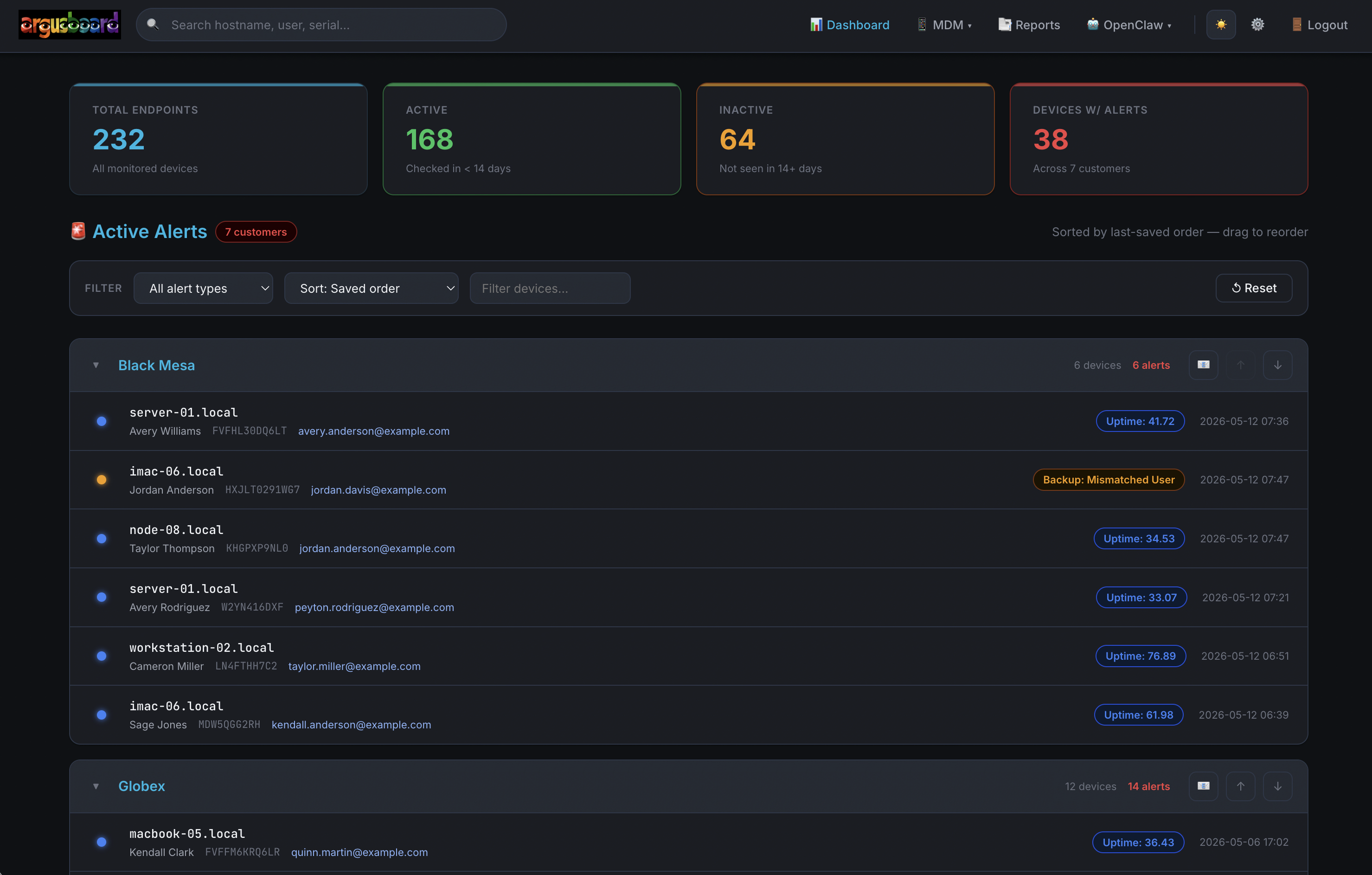
Alerts organized by client with collapsible sections. Expand what matters, collapse what doesn't. Reorder to match your workflow.
Mac, iPad, and iPhone monitoring with real Apple hardware context. Device search, guided remediation, and remote support built for how Apple devices actually work. Use it standalone or alongside your existing RMM.
Your Apple operational nerve center. Every client, every Mac, iPad, and iPhone, surfaced by severity with the context you need to act.
Alerts organized by client with collapsible sections. Expand what matters, collapse what doesn't. Reorder to match your workflow.
Color-coded alert pills: red for critical, yellow for warning, blue for informational. Spot the fires instantly.
Endpoints that haven't checked in get flagged automatically. Separate views for stale devices vs. never-checked-in devices.
SMART failures, battery degradation, disk pressure, and unsupported macOS/iOS versions surfaced before they become client emergencies.
Dynamic major-version comparison for macOS and iOS. No hardcoded version lists to maintain. Always current with Apple's release cycle.
Exclude EOL devices, unassigned endpoints, and system accounts from your main views. See only what needs attention.
Every Mac, iPad, and iPhone gets a full-context page. Apple Silicon chip identification, macOS version, MDM enrollment, remote support credentials, and alert history in one view.
No more bouncing between your RMM, your MDM console, your spreadsheet, and your remote support tool for Apple devices. It's all here.
Global search lives in the navbar on every page. Type a serial number, hostname, username, or email address and go straight to the device.
Available on every page. No navigating to a search screen first. Start typing, find the device.
Serial number, hostname, assigned user, email address. Any identifier your team might have on hand.
Search results link directly to full device detail pages with hardware, MDM, and alert context loaded.
Common Apple device issues come with pre-built email templates. Time Machine failures, battery service warnings, FileVault issues, macOS update prompts. One click generates client-ready outreach with the right context.
Your team spends less time writing emails and more time resolving Apple issues.
RustDesk credentials stored per Mac. Connect to a client machine without hunting for IDs in a separate tool.
RustDesk IDs and passwords stored alongside device records. Always current, always accessible.
Connect button right on the device detail page. No copy-pasting IDs into a separate app.
Remote support lives next to hardware info and MDM status. Everything you need for a support session in one place.
Team login with Google OAuth. Role-based permissions so the right people see the right things.
Sign in with your Google Workspace account. No separate passwords to manage.
Admin, viewer, and custom roles. Pill badges and edit popups for quick user management.
Control who can access the platform. Pending access requests visible to admins for approval.
Device lifecycle, profiles, DEP/ADE, VPP, smart groups, compliance, and more.
Learn more →Weekly, monthly, quarterly. Hardware replacement. Ticket analysis. Email delivery.
Learn more →Book a walkthrough and see how ArgusBoard handles your team's real workflows.
Get in touch Book a demo →rarr;See how ArgusBoard gives your MSP team purpose-built Apple fleet visibility, whether you're all-Apple or supplementing a Windows-first RMM.